





Car wrap colour simulator: see your car in a new colour before the wrap
Choosing a wrap colour from a small film sample is hard: a swatch the size of a palm says little about how a whole G-Class or Cullinan will look in it. So we built a colour simulator into our website. You pick your car from 78 models, tap a colour, and the picture changes on the spot. When you like what you see, one button sends the car and the colour to our team in WhatsApp.
What the colour simulator is
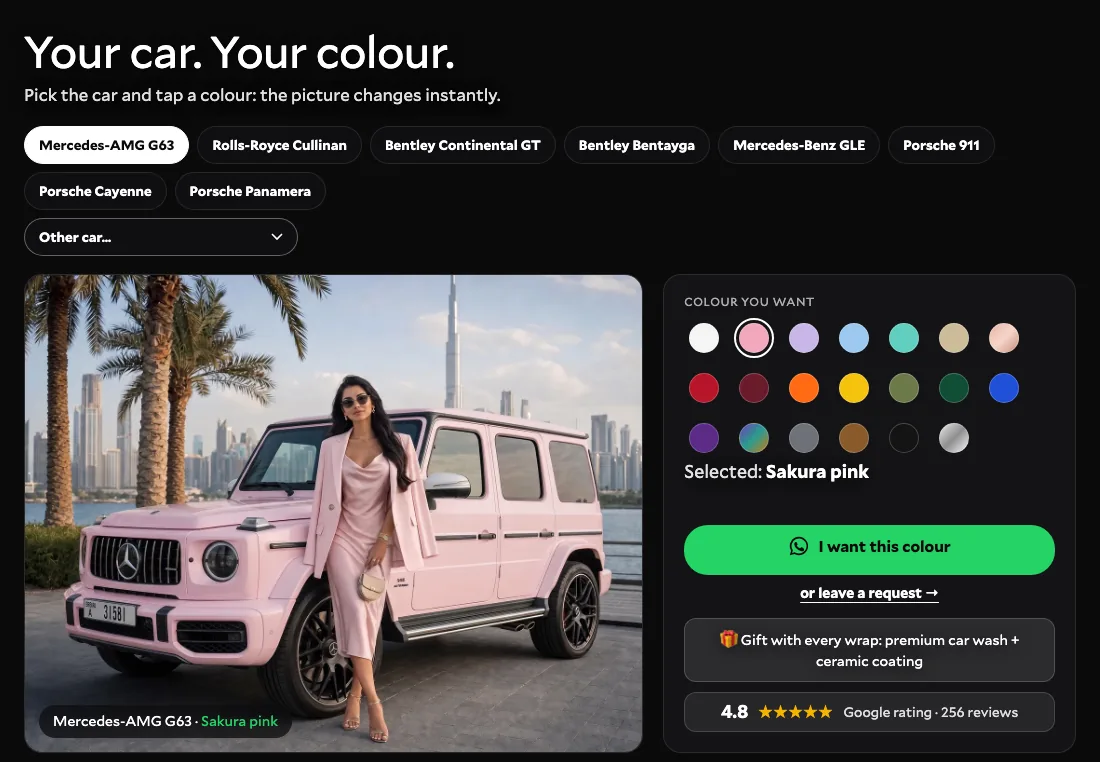
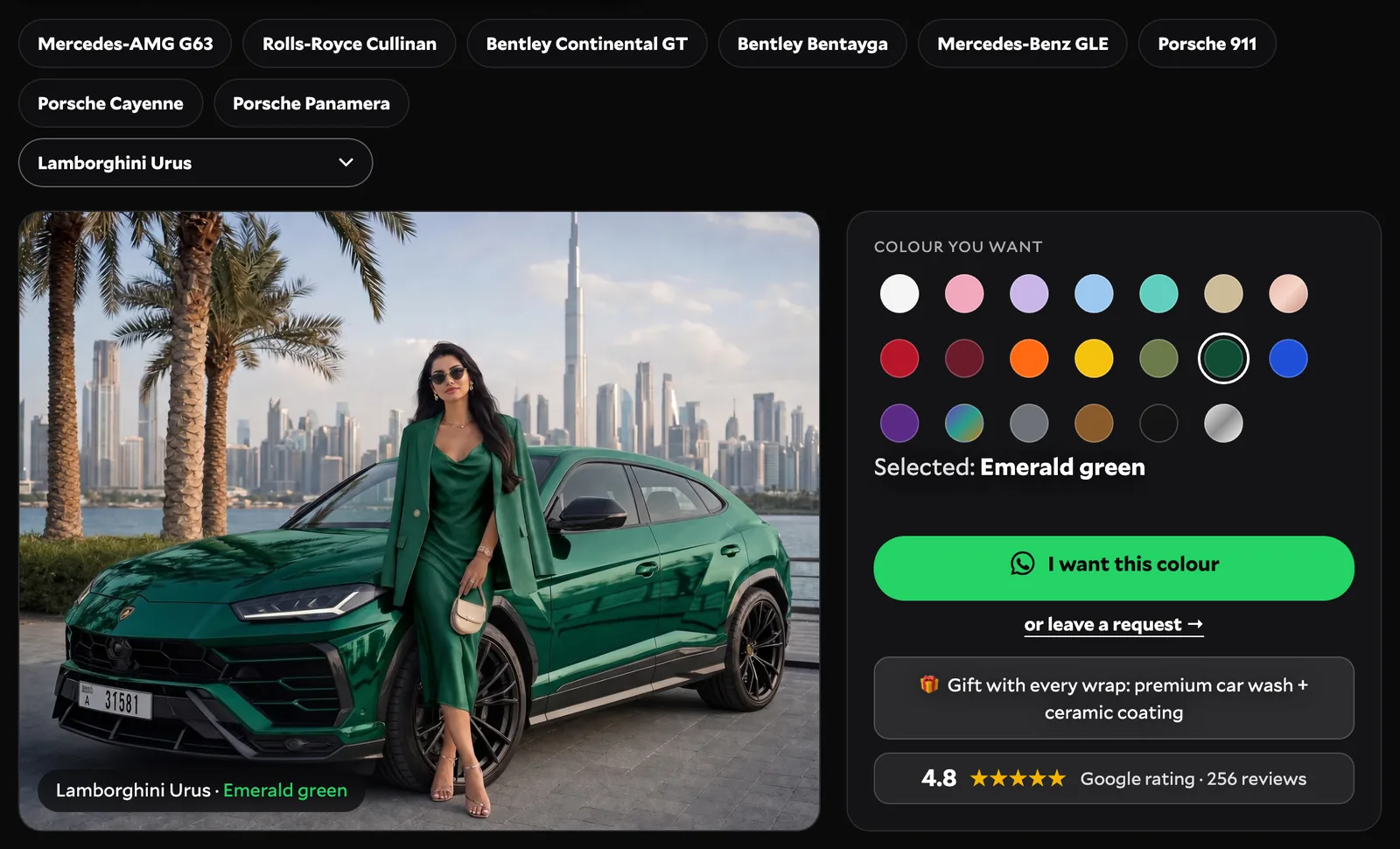
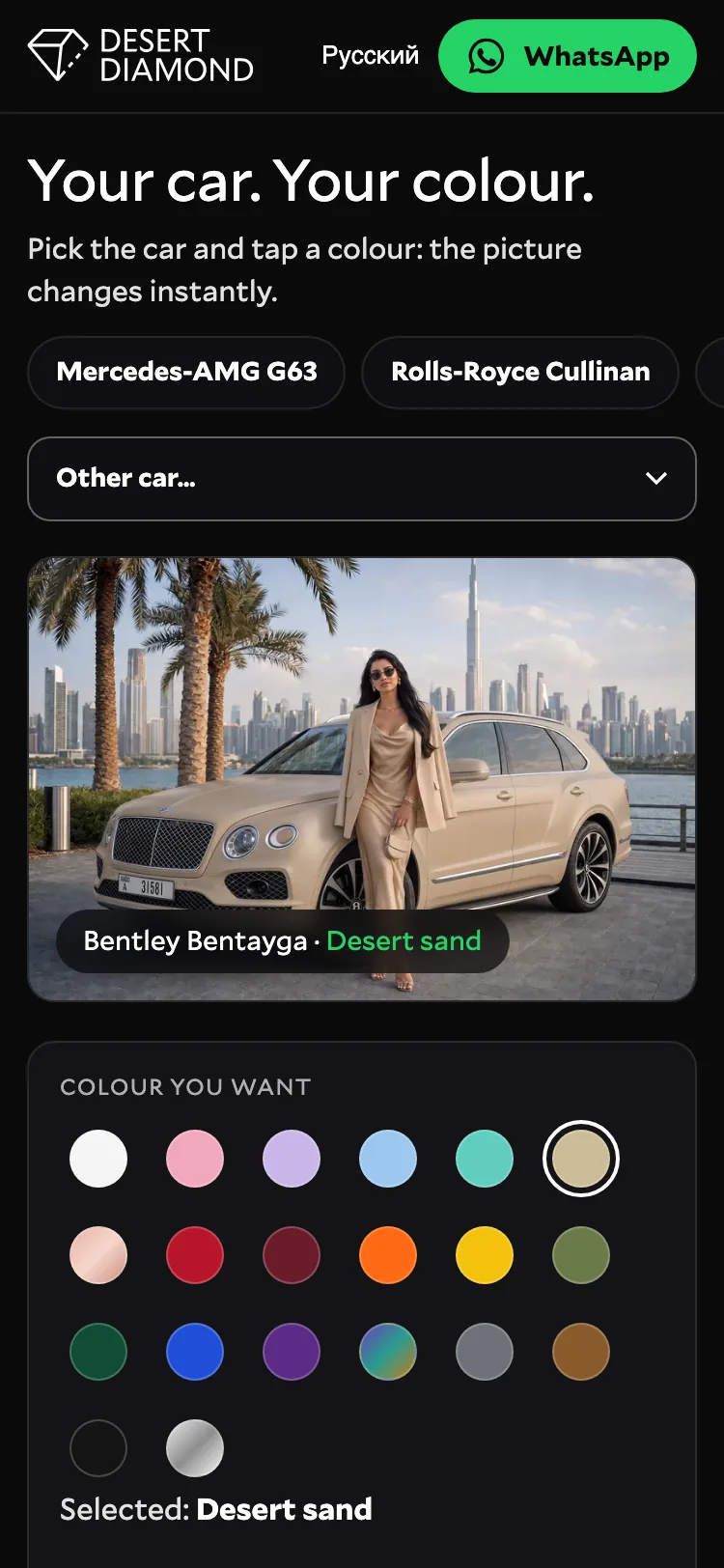
It is an interactive block on our website. On top there is a row of the most requested cars and an "Other car…" list with the rest, grouped by brand. Below is a large picture of the selected car and a palette of 20 wrap colours. Tap a colour and the car in the picture changes to it in about a second, with a caption showing the model and the colour name.
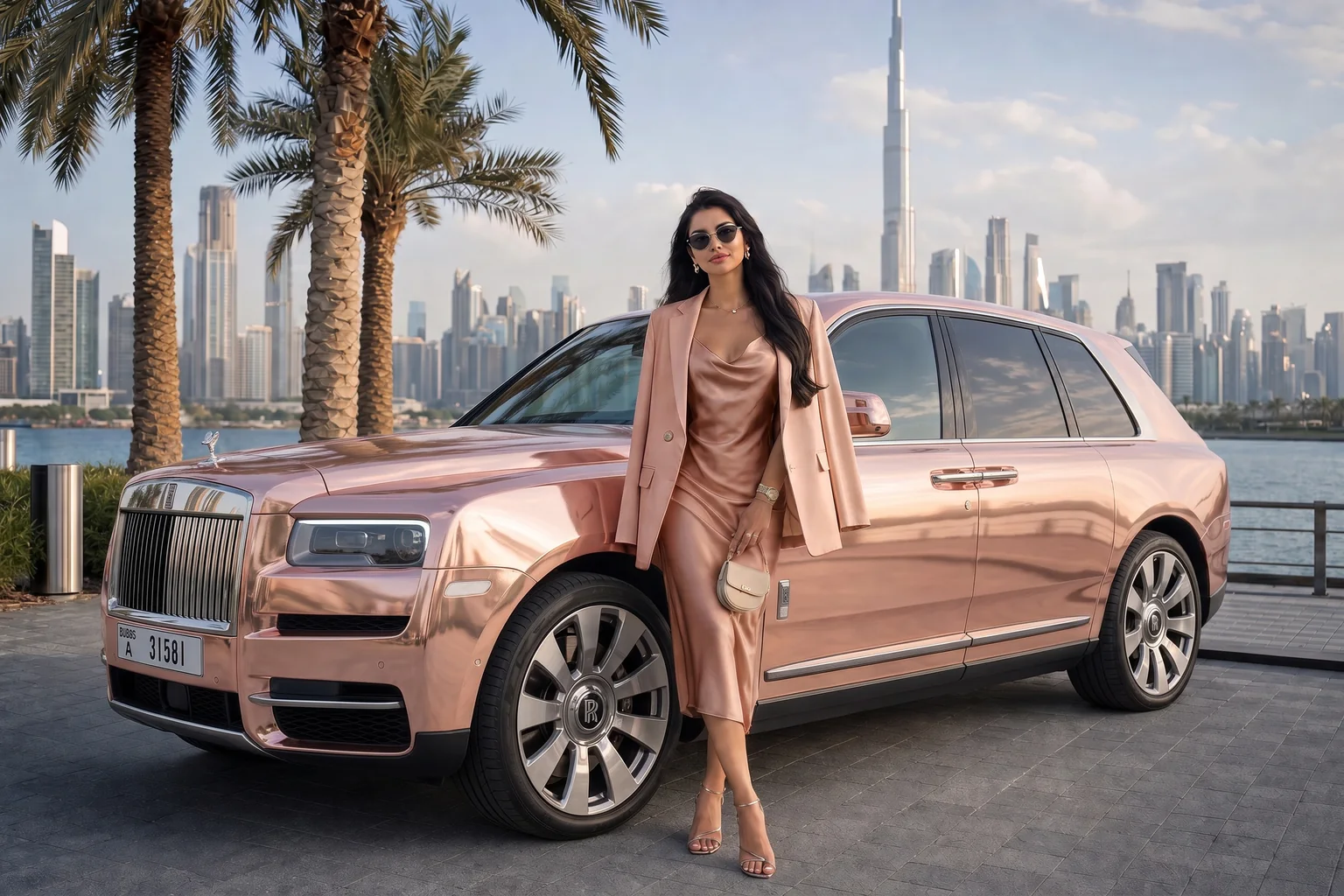
Every picture is a visualisation, not a photo of a finished job. We built one Dubai scene for all cars: the Burj Khalifa skyline, palm trees, the waterfront and a model next to the car, whose outfit changes together with the colour of the car. The car images were made with AI image tools from base pictures of each model, so you compare colours on the same background and in the same light, not across random photos from the internet.
As far as we know, Desert Diamond is the first car wrapping studio in Dubai where you can try a wrap colour on your exact model right on the studio's own website and send the result to the team in WhatsApp in one tap. Film manufacturers and software companies have colour visualisers of their own, usually built on 3D models or generic body shapes; ours is part of the studio's site, covers models that are popular in Dubai and leads straight to a conversation about your car.
Why we built it
- To choose a colour before the car comes to the workshop, at home, in a few minutes, instead of guessing from a swatch.
- To see the colour on your own model: the same pink looks different on a boxy G-Class and on a low Porsche 911.
- To compare several colours side by side in one scene and narrow the choice down to one or two.
- To start the conversation with a concrete request: our manager immediately sees which car and which colour you mean.
How to use it, step by step
Choose the car
Tap one of the quick buttons (Mercedes-AMG G63, Rolls-Royce Cullinan, Bentley Continental GT, Bentley Bentayga, Mercedes-Benz GLE, Porsche 911, Porsche Cayenne, Porsche Panamera) or open the "Other car…" list and find your model there.
Tap a colour
The palette has 20 colours. The picture and the caption change right away; tap as many as you like.
Send it to WhatsApp
The "I want this colour" button opens WhatsApp with a ready message containing your car and the chosen colour. You only need to press send.
Get the film and the price
Our manager suggests the films closest to that colour, explains the finishes, gives the price and the dates for your car, and invites you to see the samples in the studio.
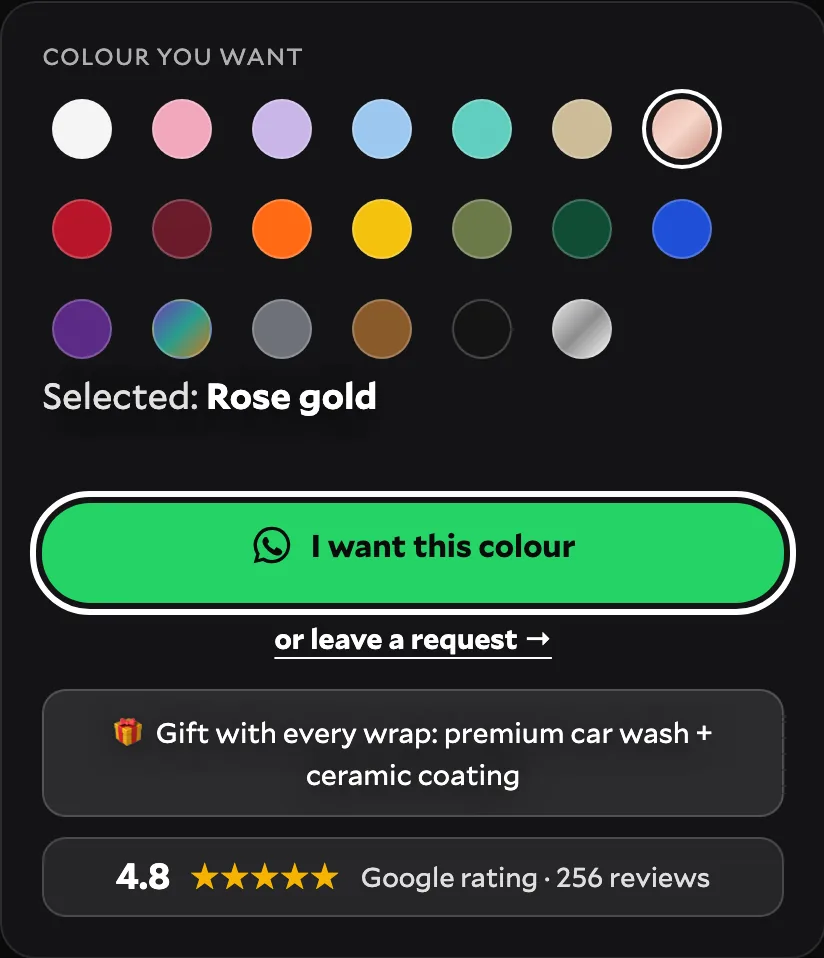
For a Bentley Continental GT in rose gold, for example, the message reads: "Hello, Desert Diamond! I want to wrap my Bentley Continental GT in Rose gold." If you prefer not to write in WhatsApp, tap "or leave a request" under the button: the form already knows your car and colour, you add a name and a phone number, and the manager gets back to you with a personal offer.
Which cars are in the simulator
78 models from 16 brands, and every one of them has all 20 colours, from SUVs and luxury sedans to supercars:
- BMW: 440, i7, M2, M3, M4, M5, M8, X5, X5M, X6, X6M, X7, XM
- Mercedes-Benz: AMG G63, GLE, C200, C63 AMG, CLE, E63 AMG, EQS, G500, GLS, GT63 AMG, Maybach, S-Class
- Audi: e-tron, Q7, Q8, R8, RS3, RS6, RS7, RSQ8
- Porsche: 911, Cayenne, Panamera, Boxster, Cayman, Macan, Taycan
- Ferrari: 296, 430, F8, Purosangue, Roma, SF90
- Land Rover: Defender, Range Rover, Range Rover Evoque, Range Rover Sport, Range Rover Velar
- Tesla: Cybertruck, Model 3, Model S, Model X, Model Y
- Lamborghini: Aventador, Huracan, Revuelto, Urus
- Lexus: GX, LX570, LX600, RX
- Rolls-Royce: Cullinan, Ghost, Spectre, Wraith
- Bentley: Continental GT, Bentayga, Flying Spur
- Aston Martin: DBX, Vantage
- Chevrolet: Camaro, Corvette
- Cadillac: Escalade
- Genesis: GV80
- McLaren: 720S
Is your model not on the list? Choose the closest body type to get a feel for the colour, then write to us: we will show the colour on samples and on photos of similar projects.
Which colours you can try
The palette has 20 colours, from calm to loud:
- White, Sakura pink, Lavender, Baby blue, Tiffany mint, Desert sand, Rose gold
- Candy red, Burgundy, Satin orange, Sunflower yellow, Satin olive, Emerald green
- Royal blue, Deep purple, Chameleon, Nardo grey, Satin bronze, Satin black, Chrome
Some names point to the finish: satin for the orange, olive, bronze and black, a mirror-like chrome, and chameleon, a colour-flip film that shifts between purple, green and gold depending on the angle. In the studio the choice is wider than the palette: films come in gloss, satin, matte, chrome and colour-flip finishes, and the same colour can look very different in gloss and in matte. Treat the simulator as a way to pick the colour family; the exact film and finish we choose together on samples.
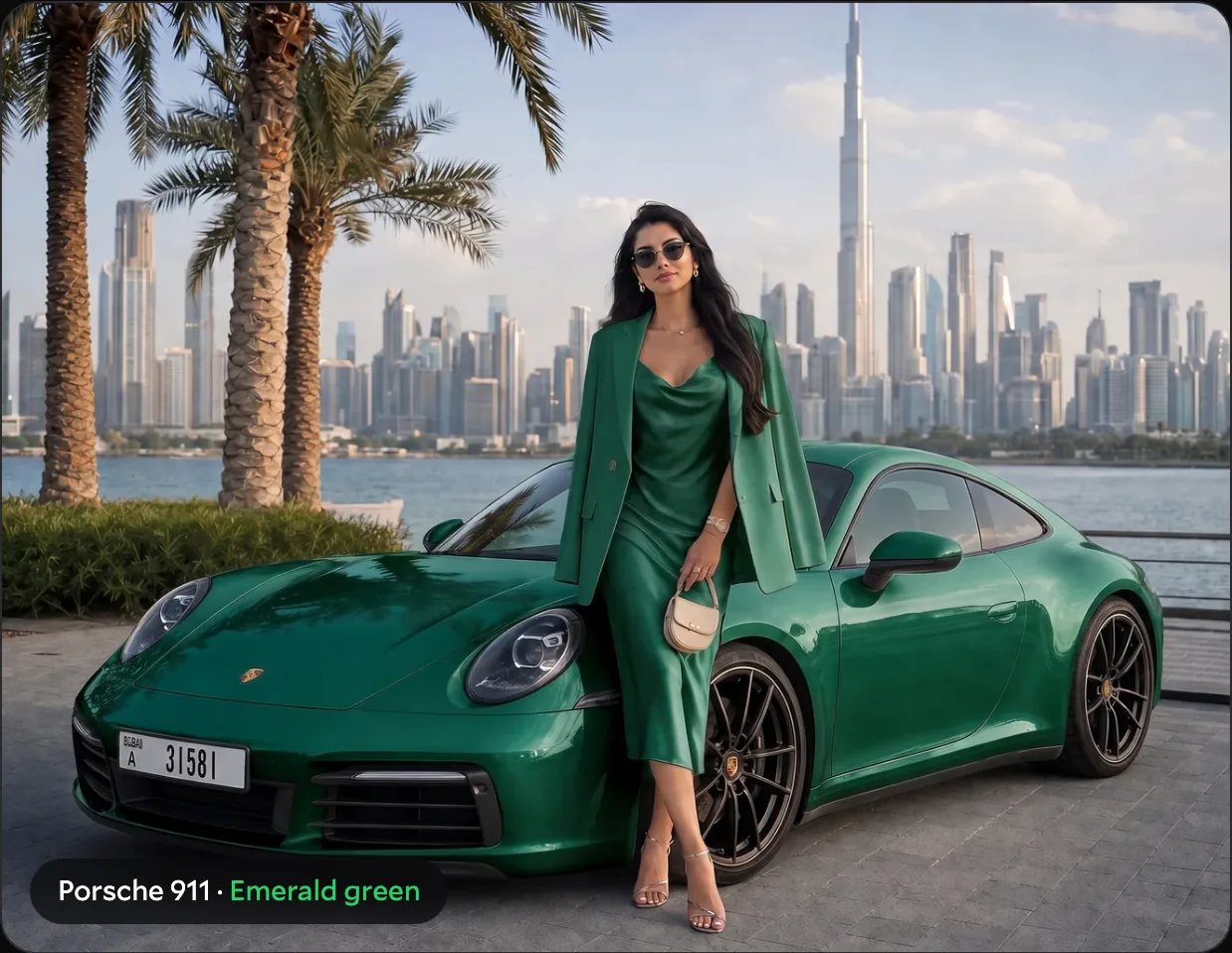
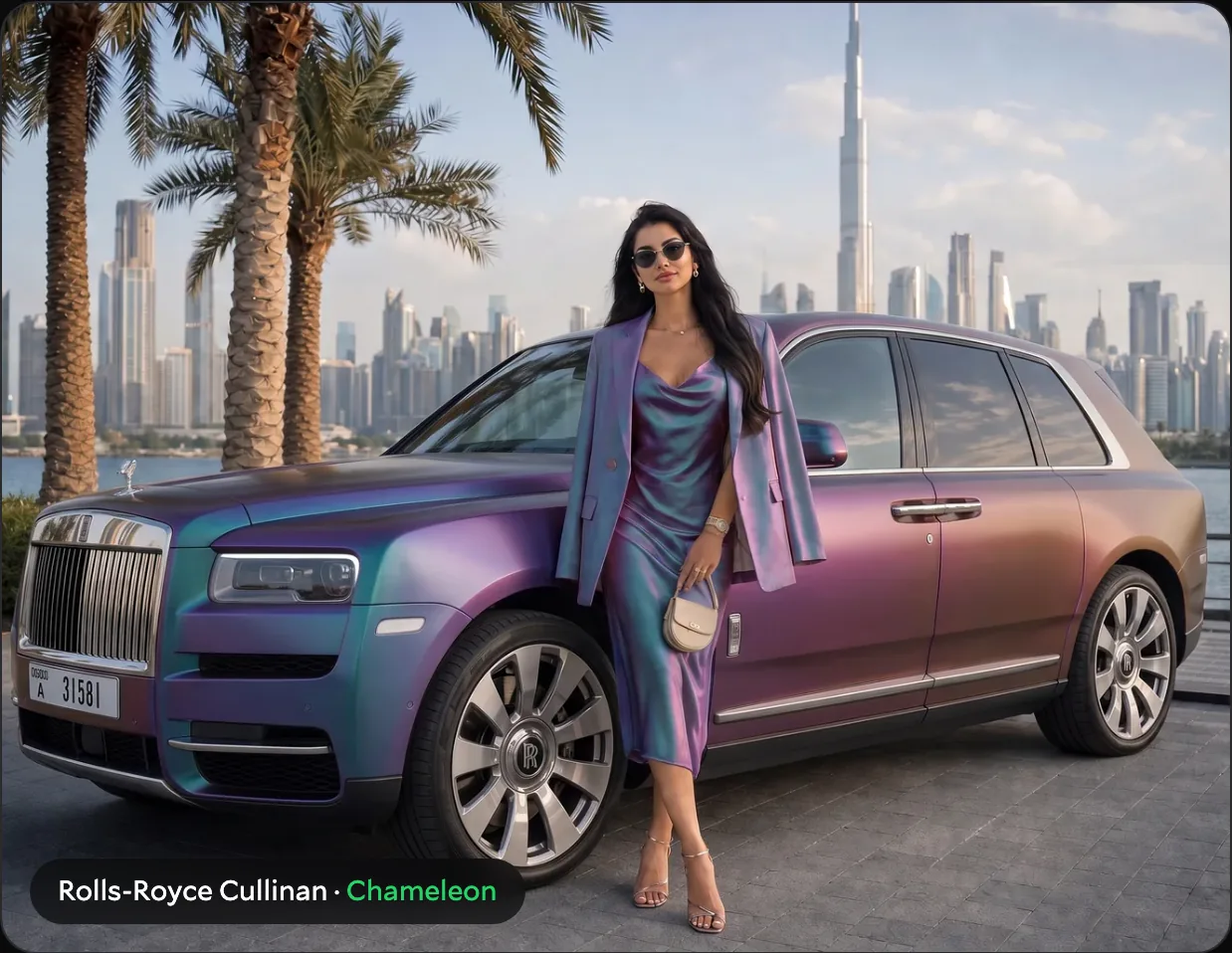
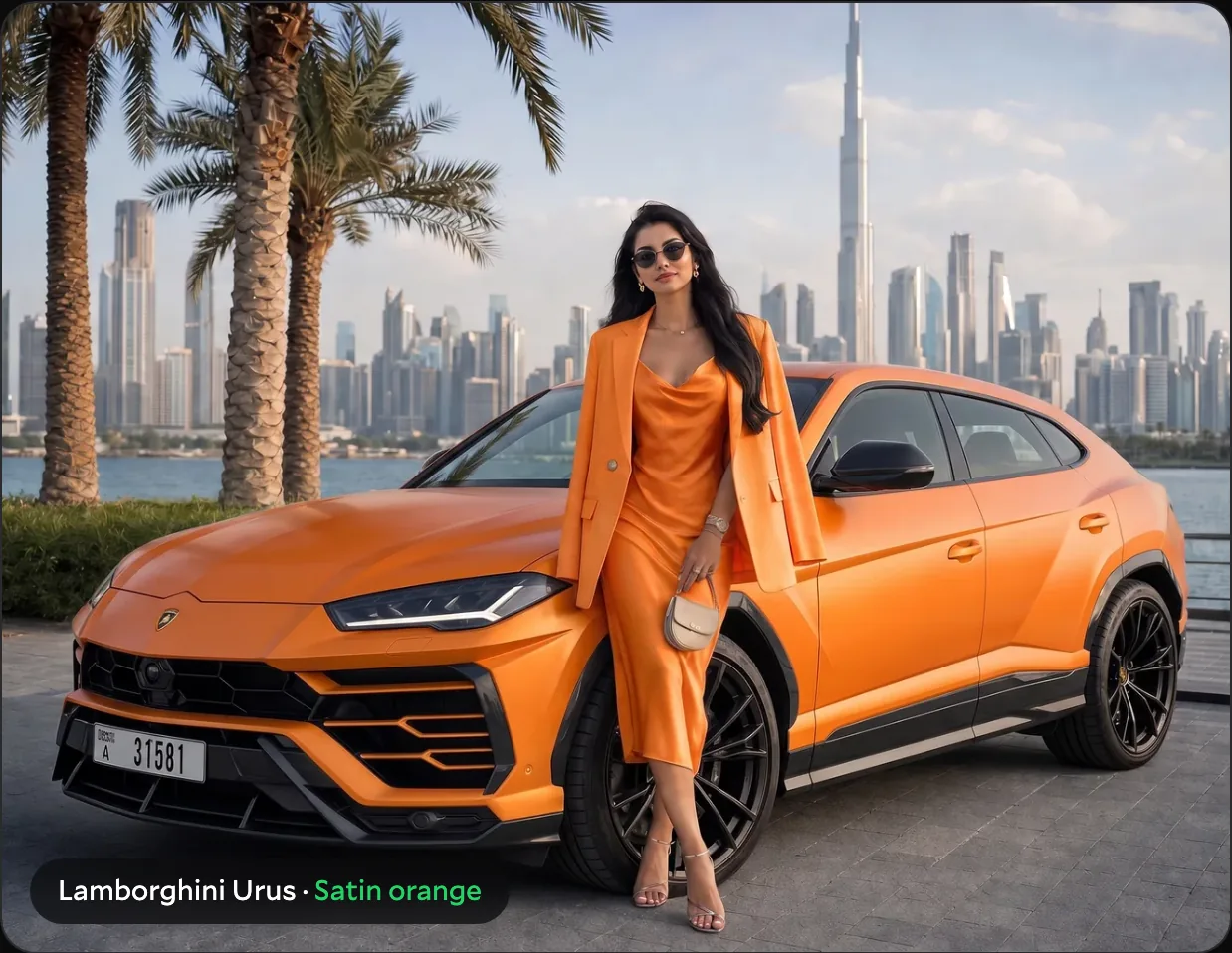
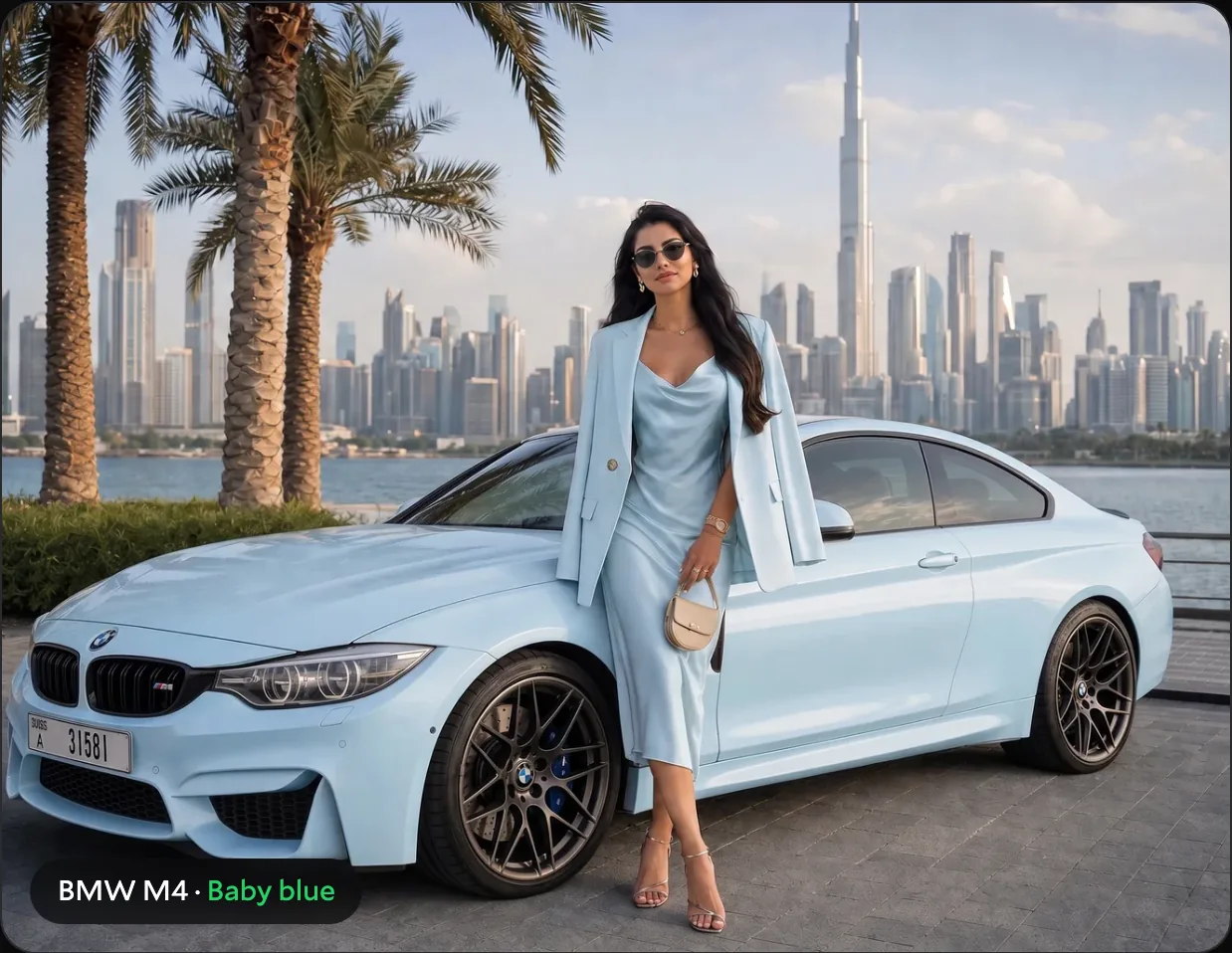
Four cars, four colours, one scene: Porsche 911 in emerald green, Rolls-Royce Cullinan in chameleon, Lamborghini Urus in satin orange, BMW M4 in baby blue. All are visualisations.
On your phone
The simulator is built for phones as well as for large screens: the car buttons scroll sideways, the palette sits under the picture, and phones load lighter versions of the images, so switching colours stays quick on mobile data.
What the simulator does not replace
- It is a visualisation, not a photo of your car and not a photo of our finished work. Real projects are in our works.
- Screens show colours differently: brightness, night mode and the display itself change the shade.
- The exact shade and finish depend on the specific film. Each colour in the palette is a direction, and several films from different manufacturers can match it.
- Details such as wheels, trim, chrome parts or a two-tone roof are not changed in the simulator; we discuss them separately.
Before the wrap we always show the real film: in the Desert Diamond studio in Al Quoz you can hold the samples next to your car in daylight and under the workshop lights. The final colour is confirmed on the sample, not on the screen.
Where to find the simulator
The full simulator is on its own page, Your car. Your colour. It is also built into the car wrapping page: there, choosing a car also fills in the brand and model in the price calculator further down the page.
Still deciding between a wrap and a repaint? Read our guide how to change the colour of your car in Dubai or see the car colour change service.
FAQ
Is the simulator free?
Yes. It works in the browser, without registration or an app, and you can try as many cars and colours as you like.
Are these photos of real cars you wrapped?
No. The simulator pictures are visualisations made with AI image tools. Photos of real projects are in the Our works section.
Will my car look exactly like in the picture?
Close in colour family, but not one to one: the shade depends on the film and the finish, and screens show colours differently. That is why we confirm the colour on real samples in the studio before the work starts.
What happens after I press "I want this colour"?
WhatsApp opens with a message that already names your car and the colour. After you send it, our manager replies with suitable films, the price and the dates for your car.
My car is not in the list. What should I do?
Pick a model with a similar body to get an idea of the colour, then message us with your car: we will show the colour on samples and on photos of similar projects.
Can I get a colour that is not in the palette?
Yes. The palette shows the most requested colours; the studio has a much wider choice of films in gloss, satin, matte, chrome and colour-flip finishes.
Do I need to update the car registration after a colour change?
If the new colour differs from the one on the registration card, yes. We handle the Dubai Police and RTA update for you free of charge; the steps are described in our colour change guide.
Related
Want something one of a kind on your car?
Send a photo of the car and tell us the idea. We will say what film, paint and protection it needs and when the car can come in.